
Maintenance
Identify the cleaning assembly before ordering consumables
A printer model can support different cleaning arrangements across years and options. Record the complete model suffix, machine serial, installed cleaning assembly and software version. Photograph the paper path, roll holders, vacuum connection and any liquid delivery components. Match consumables to the assembly documentation. A cleaning roll chosen by cabinet appearance alone can have the wrong core, width or feed direction.
Maintenance
Separate listed functions from demonstrated operation
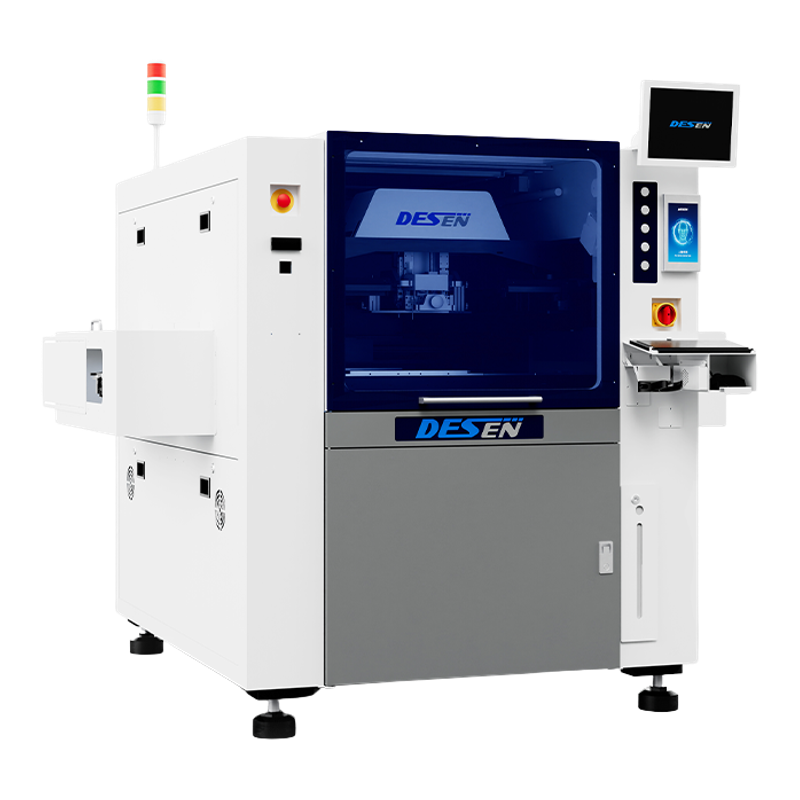
The linked DEK-03i supplier listing describes dry, wet and vacuum underside cleaning. DESEN lists squeegee-pressure feedback and SPI linkage for DSP-TS, but those functions do not establish which cleaning module is fitted. Build a checklist from the actual option list. Ask the seller to show each installed cleaning mode through its normal operating controls. Record paper feed, fault messages, vacuum behaviour and visible residue. A photograph of an installed module is not a functional test.
Maintenance
Use the machine and consumable instructions
Do not select a solvent, pressure, lubrication point or service interval from a generic used-machine guide. Obtain the manufacturer instructions and the consumable safety information for the installed assembly. Have a trained person isolate the relevant motion, electrical and pneumatic energy before servicing. Keep liquids away from optics and electrical assemblies unless the documented procedure specifically calls for their use. If the operating instructions are missing, resolving that gap comes before improvised cleaning.
Maintenance
Inspect board support and tooling separately
Cleaning cannot compensate for a poorly supported substrate. Record the support pins, clamps, tooling and clearances used in the demonstration. For a large DSL-850 panel, inspect support beneath the full print region rather than only at its ends. For Neon multi-panel work, examine centre and outer positions within the same fixture. These are inspection priorities inferred from the substrate arrangement; they are not proof that an existing machine has a support defect.
Maintenance
Review deposits before and after a cleaning event
Agree a representative board, stencil, paste and inspection method with the process engineer. Save the program and support setup, inspect printed deposits, then observe a normal cleaning event and the next print. Compare results using the agreed acceptance criteria. Record transfer and cleaning time separately from the print stroke. Do not label a machine calibrated, clean or production-ready solely because a cleaning cycle finishes without an alarm.
Maintenance
Turn observations into a handover record
Keep the serial plate, option list, dated photographs, demonstration recording, consumable references and unresolved findings together. Distinguish items supplied from items merely photographed. Obtain operating manuals and authorised software backups where transferable. If a feed fault, leak or missing document remains unresolved, describe it as an open item rather than replacing it with a general assurance. This record supports a specific purchase decision and later service planning.
Sources and scope
Manufacturer pages describe model capabilities. Supplier listings identify sourcing references. The installation and inspection advice above is a practical synthesis, not a claim of tests performed on an offered machine.
https://www.topsmt.com/html/dekyinshuaji/295.html
https://www.desen-sz.com/sanduanshiyinshuaji/72-94.html